


Whenever you’re streaming a movie in a foreign language or the audio quality isn’t great, having subtitles can improve your viewing experience.
On a computer, adding subtitles to movies is rather simple, but owing to iOS’s different file management, programme compatibility, and general user experience, the procedure can be more difficult on an iPhone. This quick article which features the process of adding subtitles to movies on an iPhone so you can watch your favourite movies without any problems.
Supported Third-Party Apps and Apple TV Subtitle Enablement
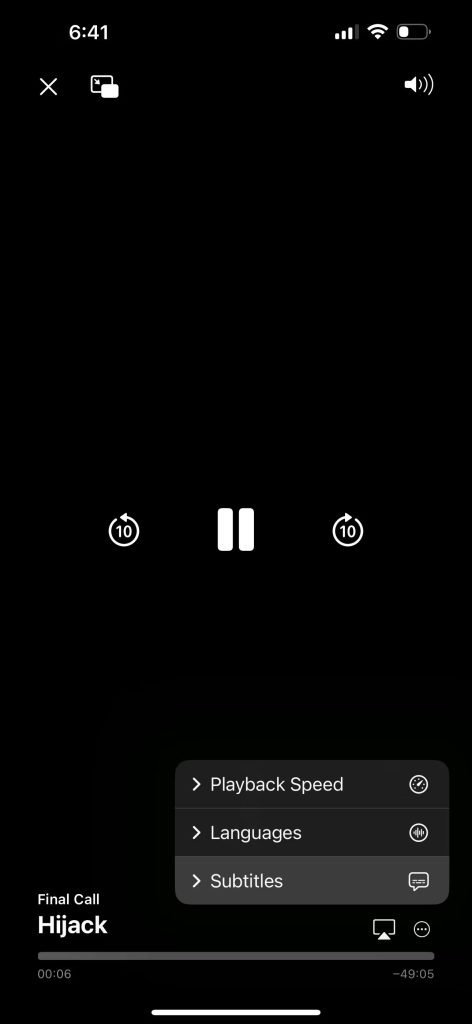
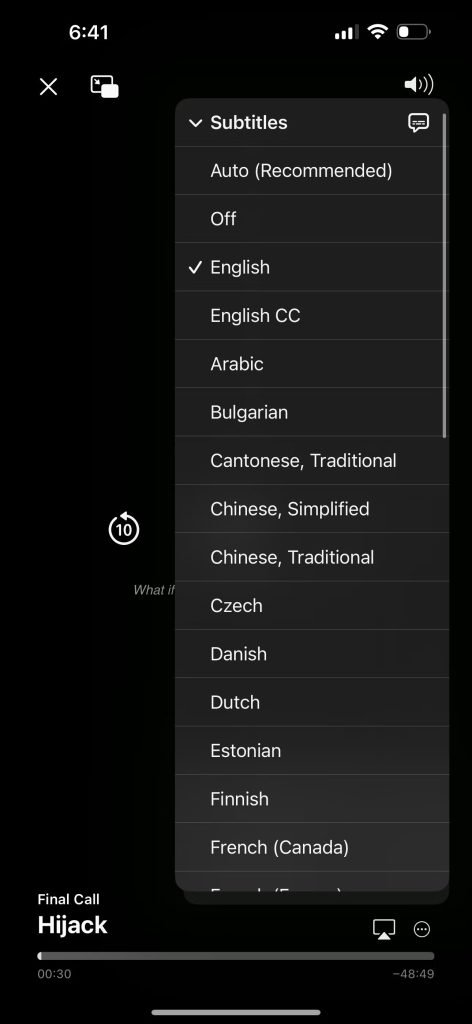
To access playback controls while the video is playing, tap the screen. Then, pick Subtitles from the menu that appears after tapping the three dots in the bottom right corner of the screen. Additionally, you may enable the Closed Captions + SDH toggle under Settings > Accessibility > Subtitles & Captioning to enable subtitles for compatible third-party video player applications.
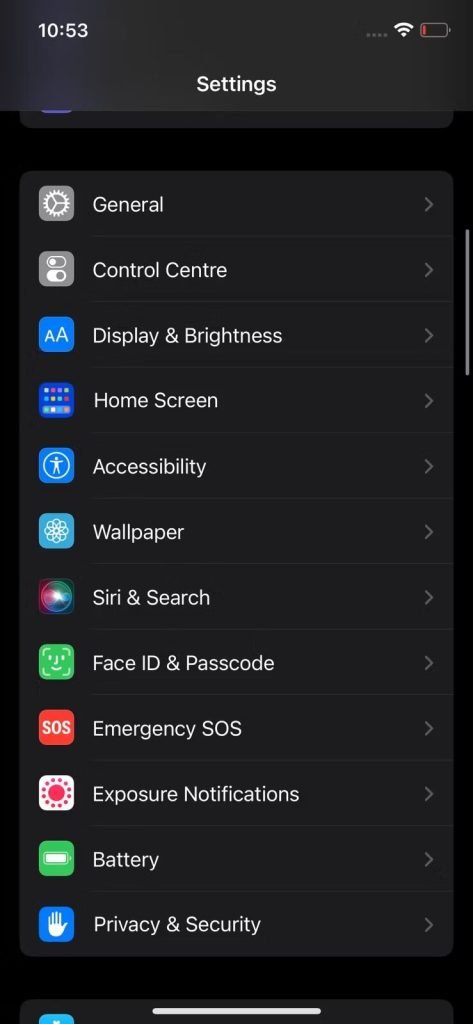
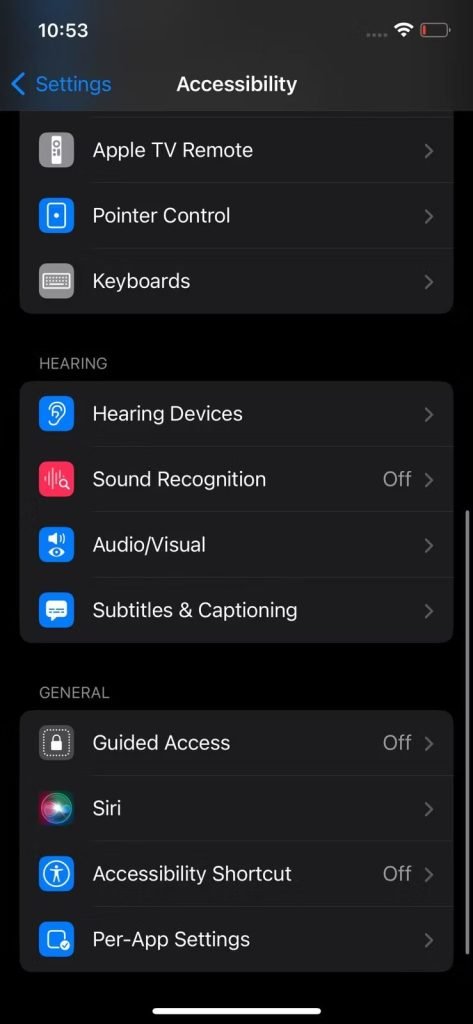
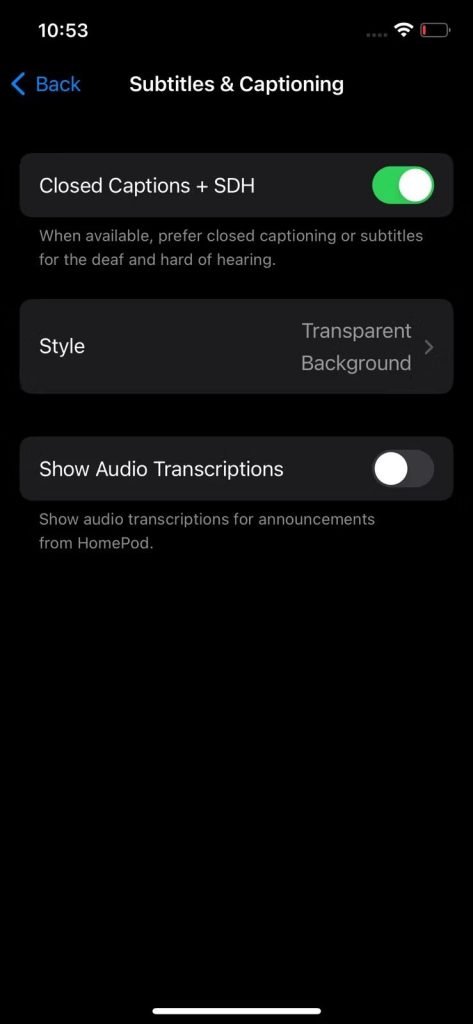
By selecting Style and modifying the options for text size, font, background, and outline, as well as starting a new style from scratch, you may also change the appearance of your subtitles.
Utilise third-party video players to access subtitles
Third-party video players with sophisticated playing options and seamless subtitle integration with films and TV shows are available on the App Store. VLC Media Player is a well-liked option for playing MKV files on your iPhone.
Importing a movie into the VLC app’s library is the first step in using the programme to view one with subtitles. The follow-up steps includes-
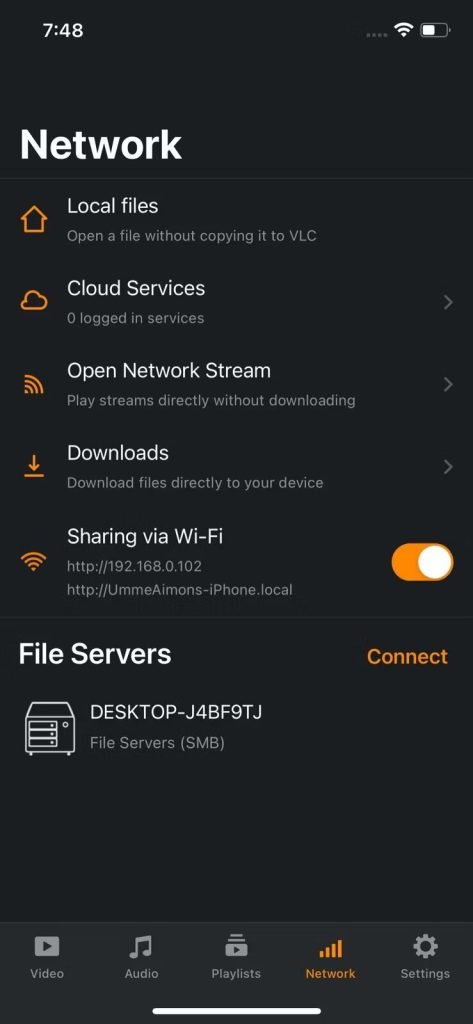
- 1. Import a video from the local storage on your device or from online services like Dropbox and Google Drive.
- 2. By pasting the stream’s URL in the app, you may play broadcasts without downloading them.
- 3. By pasting a download link, you may download files straight to your device.
- 4. Utilise the Sharing through Wi-Fi function to send files from your PC to your iPhone.
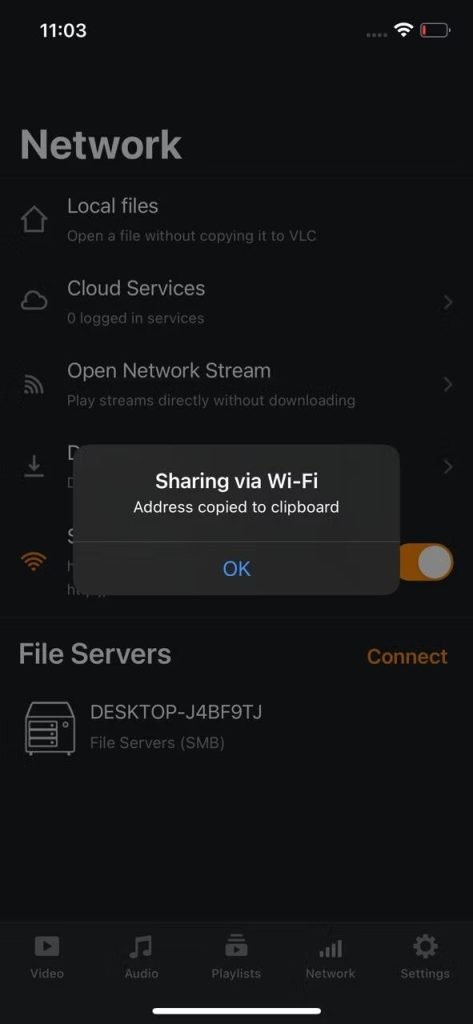
When importing big video files into the VLC programme, the final option is the most dependable. To transfer movies from your computer to your iPhone using the Sharing through Wi-Fi function, follow these simple instructions:
- After turning it on, in the VLC app, tap Network and then tap Sharing through Wi-Fi. Your local address will be copied to the clipboard when you do this.
- Copy and paste this URL somewhere you can access it from your computer, such in an email to yourself.
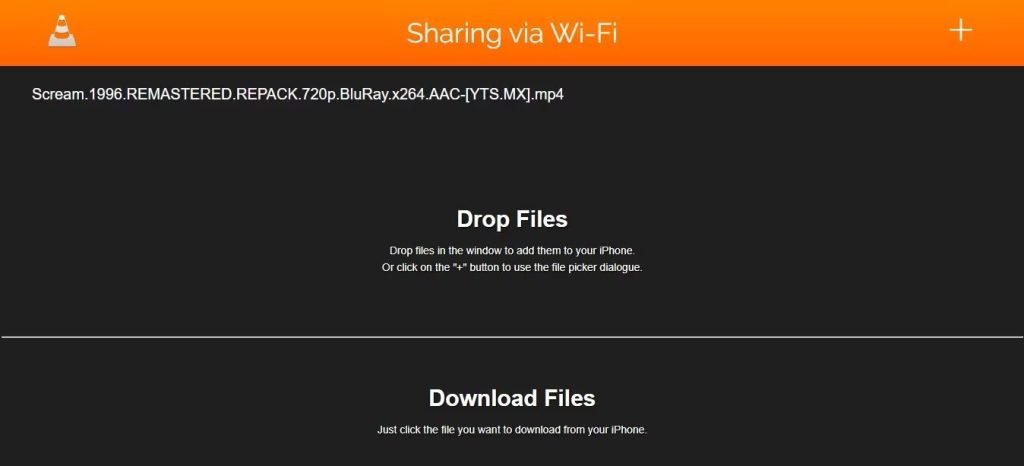
- On your PC, launch a web browser, copy the URL from your email, and paste it there.
- To import the video into the VLC app, click the addition (+) icon in the top-right corner of the screen.
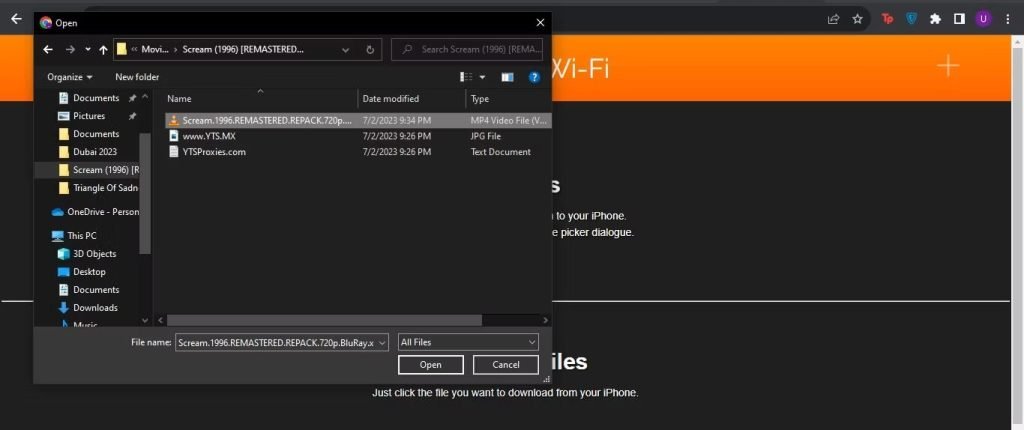
The movie will appear in the VLC app’s Video tab once it has been imported. Tap the speech bubble symbol in the playback settings after starting the video. Select Download subtitles from OpenSubtitles.org under Subtitles. An online list of subtitles pulled by the app from this website is displayed. To include a subtitle track in a movie, select the one you want.
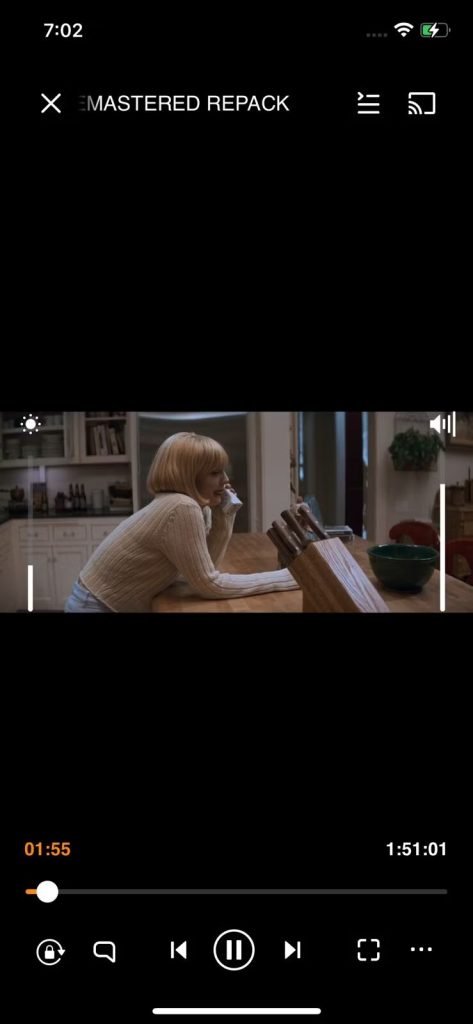
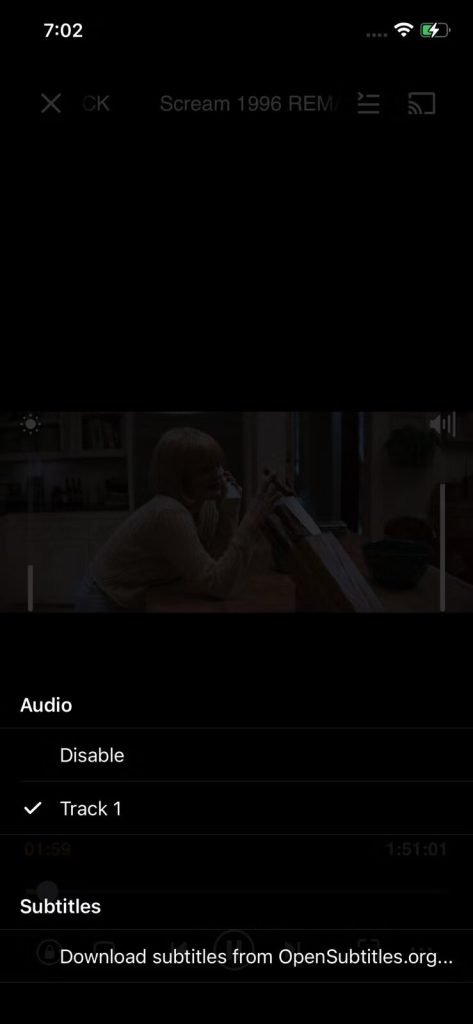
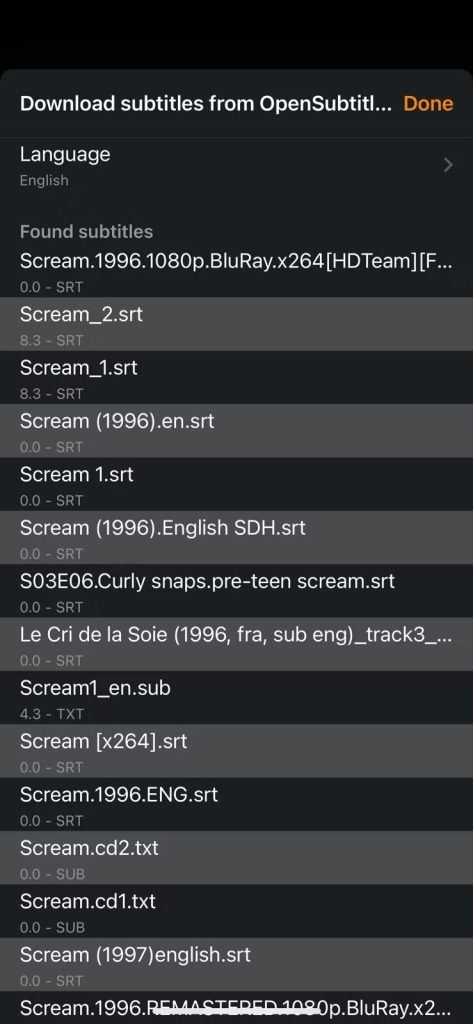
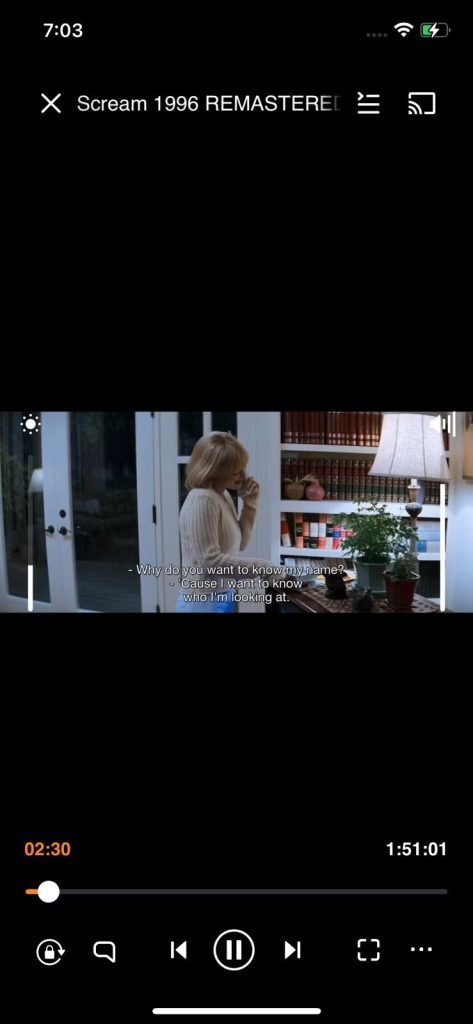
Every time you want to view a movie on your iPhone with subtitles, just follow these steps.
- The native video app for the iPhone, Apple TV, makes it simple to watch films with subtitles in several languages. However, as SRT files are not natively supported by iPhones, there is no way for you to download or view them on your phone.
- While this may be a setback for individuals who enjoy viewing films on their cellphones, third-party programmes like VLC media player get around the issue by allowing you to download subtitles from the internet and watch films with subtitles on your iPhone.

